> ## Documentation Index
> Fetch the complete documentation index at: https://docs.omi.me/llms.txt
> Use this file to discover all available pages before exploring further.
# Omi Glass Setup
> Get started with your Omi Glass smart glasses
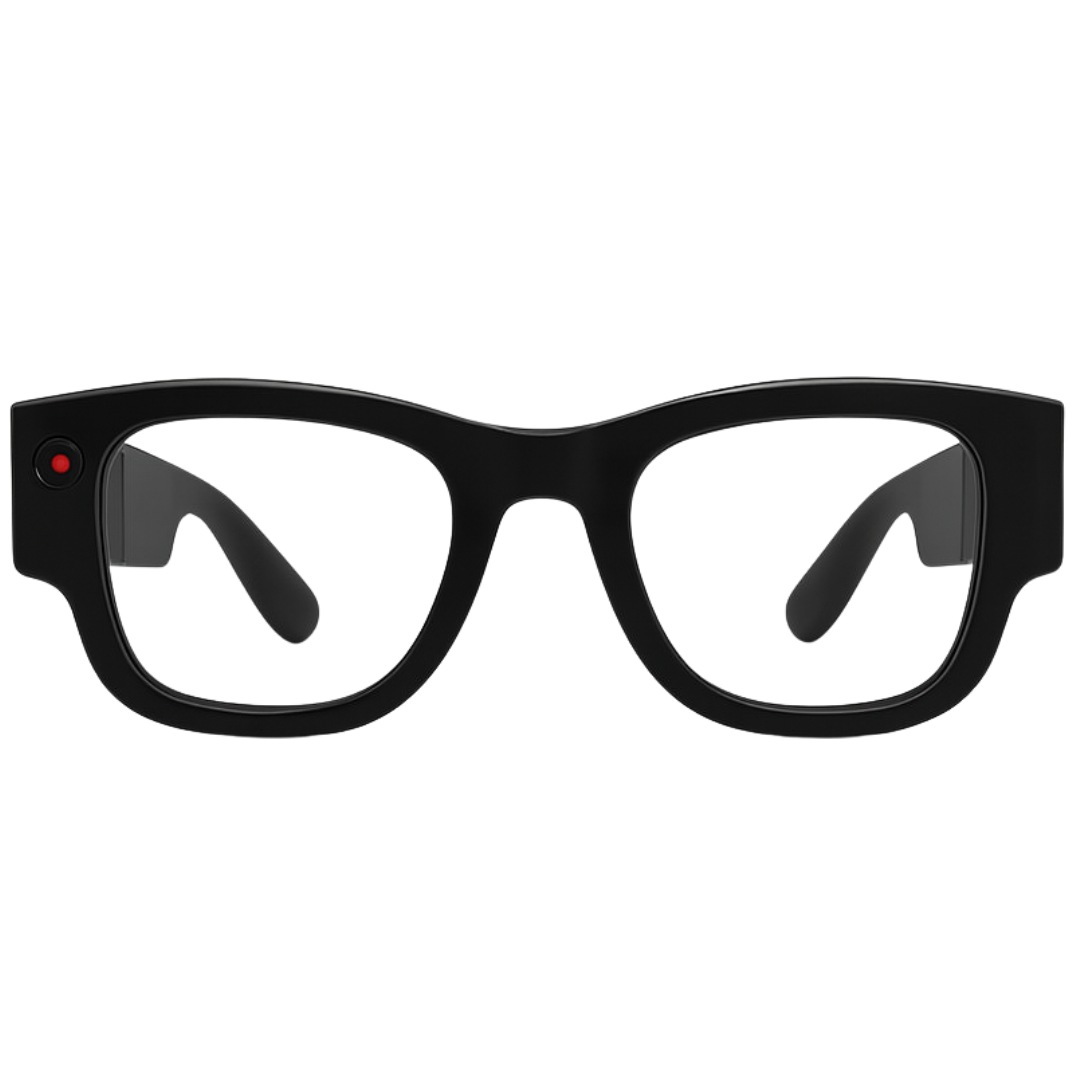 Welcome to the future of smart glasses! Follow these steps to set up your Omi Glass.
***
## Quick Setup
Before first use, ensure your Omi Glass is fully charged:
* Connect the charging cable to your glasses
* Look for the charging indicator light
* Allow 2-3 hours for full charge on first use
* The LED will change color when fully charged
Download for iOS
Download for Android
Proper fit is crucial for optimal performance:
1. **Temple Adjustment**: Adjust the temple arms for comfort
2. **Nose Bridge**: Ensure glasses sit comfortably on your nose
3. **Microphone Position**: The mic should be close to your mouth
4. **Camera Angle**: Align the camera with your natural eye level
1. Put on your Omi Glass
2. Power on by pressing the side button for 3 seconds
3. Open the Omi app
4. Follow the in-app pairing instructions
5. Grant necessary permissions (camera, microphone, Bluetooth)
After pairing, calibrate your glasses:
* **Audio Calibration**: Test microphone pickup by speaking
* **Visual Calibration**: Test camera angle and clarity
* **Gesture Recognition**: Learn the basic gesture controls
* **Voice Activation**: Test "Hey Omi" wake phrase
***
## Glass-Specific Features
Visual information overlay
Capture what you see
Multiple mics for clarity
Navigate with gestures
Hands-free operation
All-day usage
***
## Gesture Controls
| Gesture | Action |
| --------------- | ----------------- |
| **Swipe Right** | Next function |
| **Swipe Left** | Previous function |
| **Tap** | Select/activate |
| **Hold** | Access menu |
***
## Usage Tips
* Speak at normal conversation volume
* Avoid covering the microphones with your hands
* Works best in quieter environments
* Multiple mics help with noise cancellation
* Keep lenses clean for best visual quality
* Be mindful of privacy in public spaces
* Camera works best in good lighting
* Respect others' privacy when recording
* Charge overnight for all-day use
* Disable features you're not using to extend battery
* Carry the charging case for quick top-ups
* Battery lasts 6-8 hours with normal use
***
## Important: Keep the App Running
**Do not kill the app!** Once activated, Omi works in the background. You can minimize the app, but if you force-close it, the glasses will disconnect and stop functioning.
As this is a development kit, some features may be experimental and not fully stable. Keep the app updated for the latest improvements.
***
## Privacy & Legal
LED shows when recording is active
Much processing happens on-device
Encrypted transmission and storage
Be aware of local recording laws
**Always get consent** when recording others. Be respectful of privacy in public and private spaces.
***
## Troubleshooting
* Ensure fully charged (try charging for 30+ minutes)
* Try a different charging cable
* Hold power button for 10 seconds for hard reset
* Contact support if no LED activity
* Ensure you have the latest version of the Omi app
* Check Bluetooth is enabled on your phone
* Try restarting both app and glasses
* Reset glasses by holding power for 15 seconds
* Check microphone isn't blocked
* Adjust glasses fit for better mic positioning
* Ensure you're in a relatively quiet environment
* Test with different speaking volumes
* Clean the camera lenses
* Check camera permissions in settings
* Adjust glasses angle for better view
* Restart the app if camera appears frozen
***
## Support & Community
Get help from the community
Contact [help@omi.me](mailto:help@omi.me)
Full documentation
Create Omi Glass apps
***
## What's Next?
Create apps for Omi Glass
Try all smart glasses capabilities
Keep the app updated for new features
Leave reviews in the app stores
***
Choose a different device
Welcome to the future of smart glasses! Follow these steps to set up your Omi Glass.
***
## Quick Setup
Before first use, ensure your Omi Glass is fully charged:
* Connect the charging cable to your glasses
* Look for the charging indicator light
* Allow 2-3 hours for full charge on first use
* The LED will change color when fully charged
Download for iOS
Download for Android
Proper fit is crucial for optimal performance:
1. **Temple Adjustment**: Adjust the temple arms for comfort
2. **Nose Bridge**: Ensure glasses sit comfortably on your nose
3. **Microphone Position**: The mic should be close to your mouth
4. **Camera Angle**: Align the camera with your natural eye level
1. Put on your Omi Glass
2. Power on by pressing the side button for 3 seconds
3. Open the Omi app
4. Follow the in-app pairing instructions
5. Grant necessary permissions (camera, microphone, Bluetooth)
After pairing, calibrate your glasses:
* **Audio Calibration**: Test microphone pickup by speaking
* **Visual Calibration**: Test camera angle and clarity
* **Gesture Recognition**: Learn the basic gesture controls
* **Voice Activation**: Test "Hey Omi" wake phrase
***
## Glass-Specific Features
Visual information overlay
Capture what you see
Multiple mics for clarity
Navigate with gestures
Hands-free operation
All-day usage
***
## Gesture Controls
| Gesture | Action |
| --------------- | ----------------- |
| **Swipe Right** | Next function |
| **Swipe Left** | Previous function |
| **Tap** | Select/activate |
| **Hold** | Access menu |
***
## Usage Tips
* Speak at normal conversation volume
* Avoid covering the microphones with your hands
* Works best in quieter environments
* Multiple mics help with noise cancellation
* Keep lenses clean for best visual quality
* Be mindful of privacy in public spaces
* Camera works best in good lighting
* Respect others' privacy when recording
* Charge overnight for all-day use
* Disable features you're not using to extend battery
* Carry the charging case for quick top-ups
* Battery lasts 6-8 hours with normal use
***
## Important: Keep the App Running
**Do not kill the app!** Once activated, Omi works in the background. You can minimize the app, but if you force-close it, the glasses will disconnect and stop functioning.
As this is a development kit, some features may be experimental and not fully stable. Keep the app updated for the latest improvements.
***
## Privacy & Legal
LED shows when recording is active
Much processing happens on-device
Encrypted transmission and storage
Be aware of local recording laws
**Always get consent** when recording others. Be respectful of privacy in public and private spaces.
***
## Troubleshooting
* Ensure fully charged (try charging for 30+ minutes)
* Try a different charging cable
* Hold power button for 10 seconds for hard reset
* Contact support if no LED activity
* Ensure you have the latest version of the Omi app
* Check Bluetooth is enabled on your phone
* Try restarting both app and glasses
* Reset glasses by holding power for 15 seconds
* Check microphone isn't blocked
* Adjust glasses fit for better mic positioning
* Ensure you're in a relatively quiet environment
* Test with different speaking volumes
* Clean the camera lenses
* Check camera permissions in settings
* Adjust glasses angle for better view
* Restart the app if camera appears frozen
***
## Support & Community
Get help from the community
Contact [help@omi.me](mailto:help@omi.me)
Full documentation
Create Omi Glass apps
***
## What's Next?
Create apps for Omi Glass
Try all smart glasses capabilities
Keep the app updated for new features
Leave reviews in the app stores
***
Choose a different device